
How to Collect Video Testimonials with GoHighLevel
Customer testimonials have always been one of the most powerful ways to build trust and increase conversions. But until now, collecting video testimonials usually meant paying for third-party tools, managing uploads manually, or dealing with complicated workflows.
That’s finally changing.
GoHighLevel has introduced a brand-new Video Testimonials feature inside the platform itself — allowing businesses and agencies to collect, manage, and showcase video testimonials directly within GoHighLevel.
At the time of writing, this feature is currently in Beta, but it is expected to roll out publicly very soon. If you don’t see it in your account yet, you can enable it from the Labs section inside GoHighLevel.
In this guide, we’ll walk through:
What the Video Testimonials feature is
Why it’s useful
How to create a Video Testimonial Collector
How to send testimonial requests
How to embed testimonials on your website
Current limitations
Why this feature is a game-changer for agencies and businesses
Why This Feature Matters
There are already many platforms available for collecting video testimonials.
The problem?
Most of them come with:
Monthly subscription fees
Upload limitations
Branding restrictions
Complicated integrations
Separate dashboards to manage testimonials
Now, with GoHighLevel’s built-in Video Testimonials feature, you can handle everything directly inside your CRM and marketing platform without relying on another paid tool.
That means:
No additional subscription cost
No separate software to manage
Easier client experience
Faster collection process
Centralized testimonial management
Simple embed options for websites and funnels
For agencies already using GoHighLevel, this can replace another software expense entirely.
How to Enable the Video Testimonials Feature
Since the feature is currently in Beta, you may not see it immediately inside your account.
To enable it:
Log in to your GoHighLevel account
Navigate to Labs
Activate the Video Testimonials feature
Refresh your dashboard
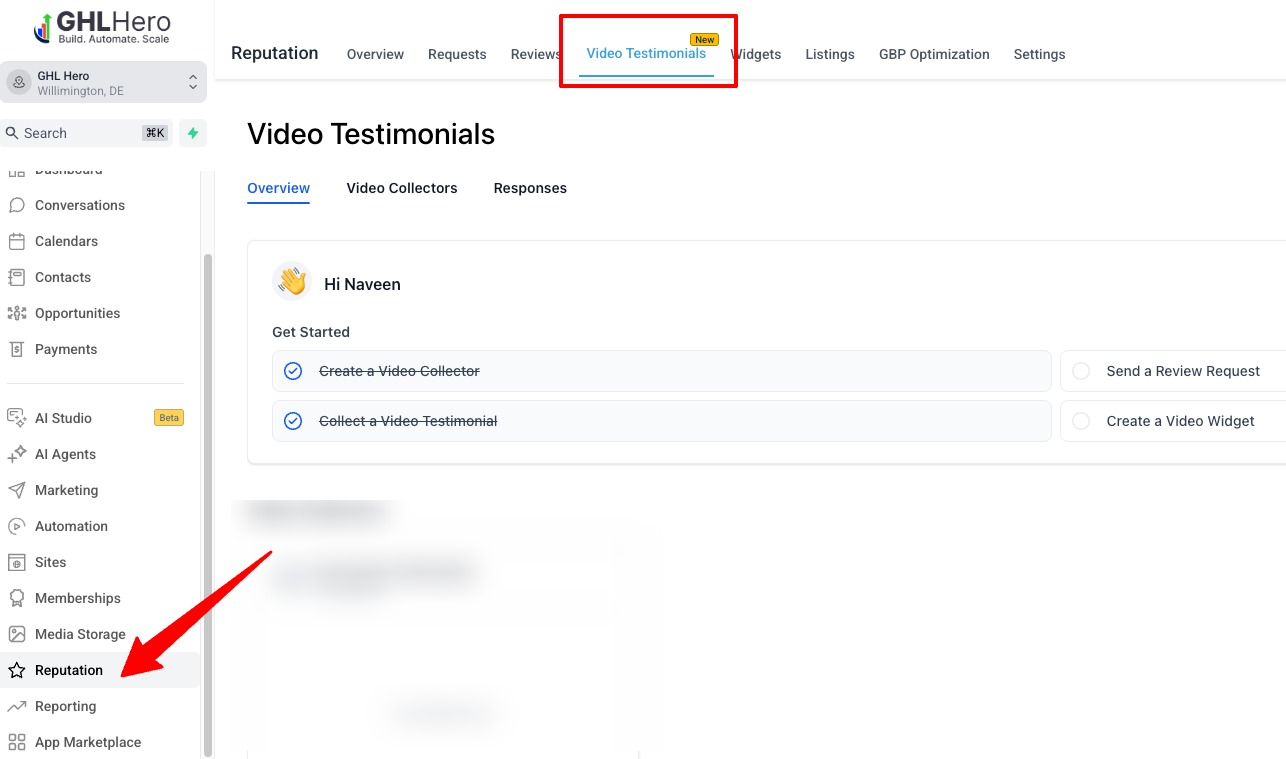
Once enabled, you’ll find it under:
Reputation → Video Testimonials
Step-by-Step: How to Create a Video Testimonial Collector
Step 1: Navigate to Video Testimonials
Inside your GoHighLevel dashboard:
Reputation → Video Testimonials
Once you open the section, you’ll see multiple tabs including:
Overview
Video Recorder
Responses
To begin, click:
“Create Collector”
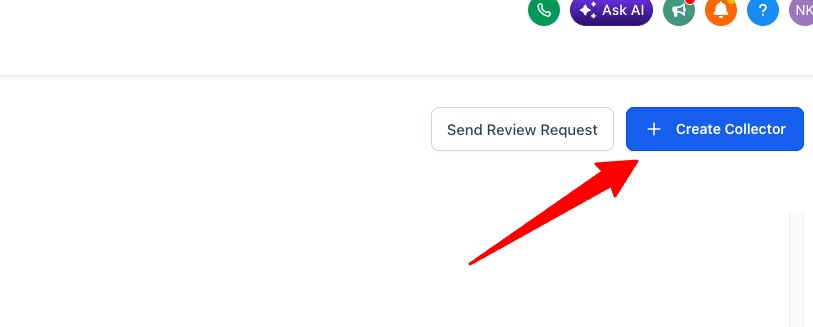
This opens the setup wizard for your testimonial collector.
Step 2: Set Up the Welcome Page
The Welcome Page is the first thing your customer sees when they open the testimonial link.
This page acts like a mini landing page, so it’s important to make it welcoming, professional, and easy to understand.
Here’s what you can customize:
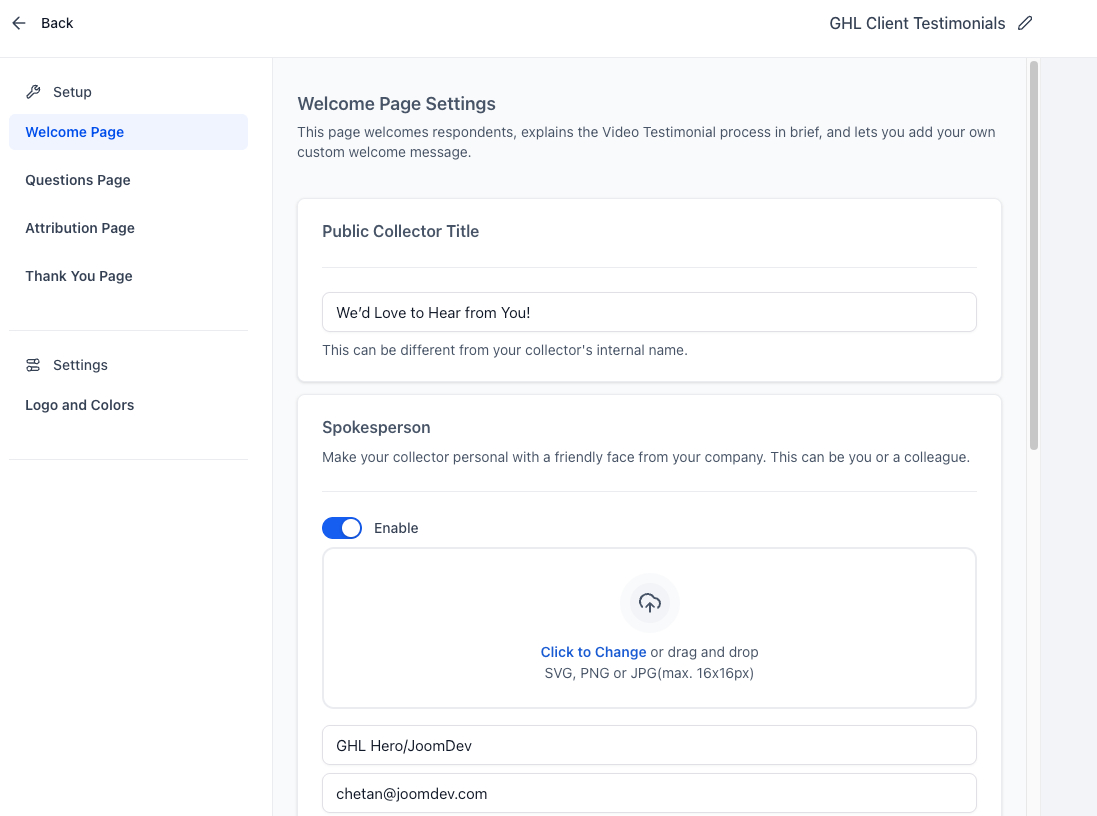
Public Collector Title
Example:
“We’d Love to Hear From You!”
or
“Share Your Experience With Us”
Keep the headline friendly and conversational.
Add a Spokesperson
You can personalize the experience by adding:
A photo
Name
Email address
This is a great way to create trust because customers feel like they’re talking to a real person instead of a generic system.
For example:
Customer Success Manager
Founder
Project Manager
Account Representative
Explain How It Works
This section is important because many users hesitate when recording videos.
You can reassure them with a simple message like:
Your feedback helps us grow and inspires others to work with us.
No downloads or uploads required — simply click record and share your experience.
This reduces friction and increases completion rates.
Step 3: Configure the Questions Page
The next section is the Questions Page.
This is where you guide customers on what to talk about in their testimonial.
You can add up to 3 questions.
This is extremely useful because most customers don’t know what to say unless you guide them.
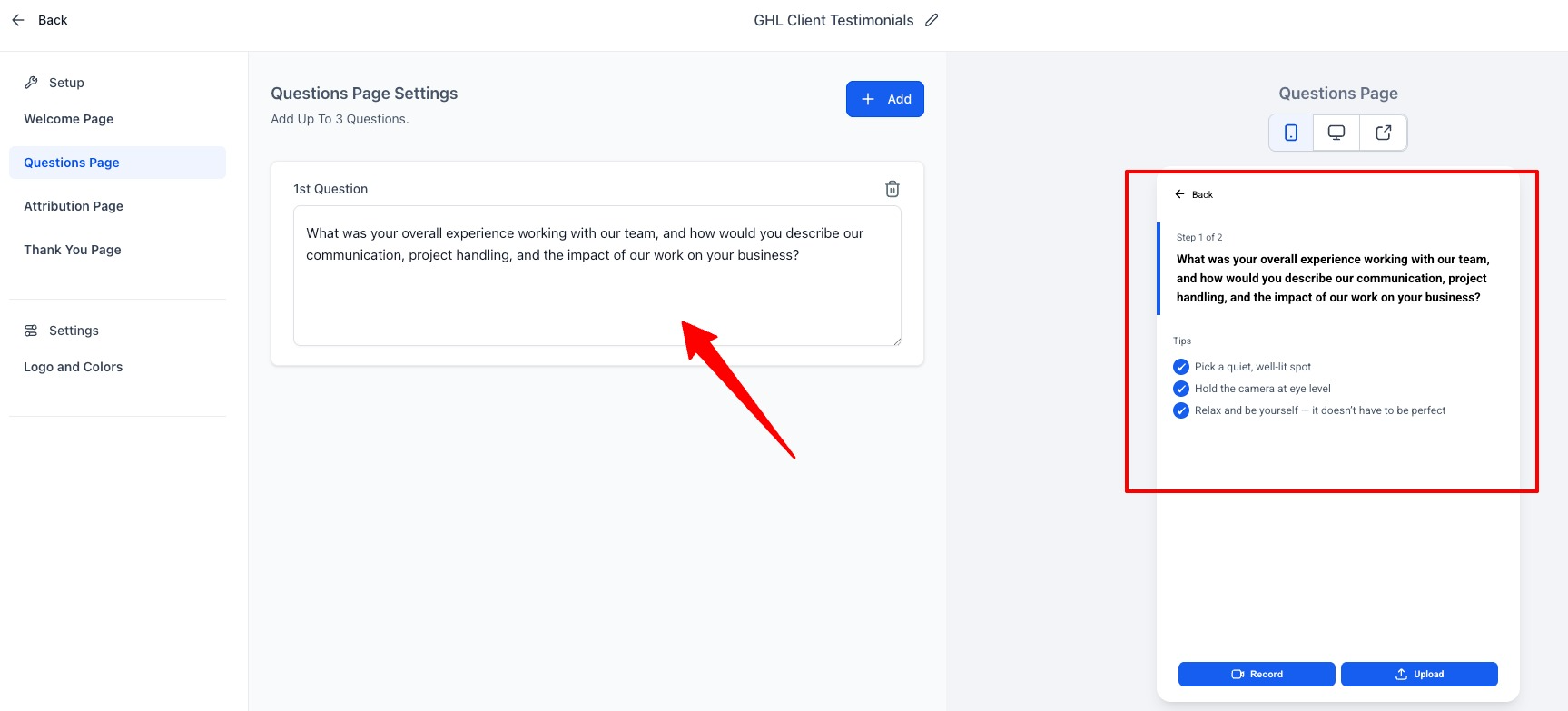
Good testimonial questions include:
Example Questions
What problem were you facing before working with us?
How was your experience with our team?
What results or improvements did you achieve?
Would you recommend our service to others?
What stood out most during the process?
These prompts help customers create more natural and useful testimonials.
Step 4: Configure the Attribution Page
After recording the testimonial, users are taken to the Attribution Page.
This page collects information about the customer submitting the video.
Typically, you can collect:
Name
Email address
Phone Number
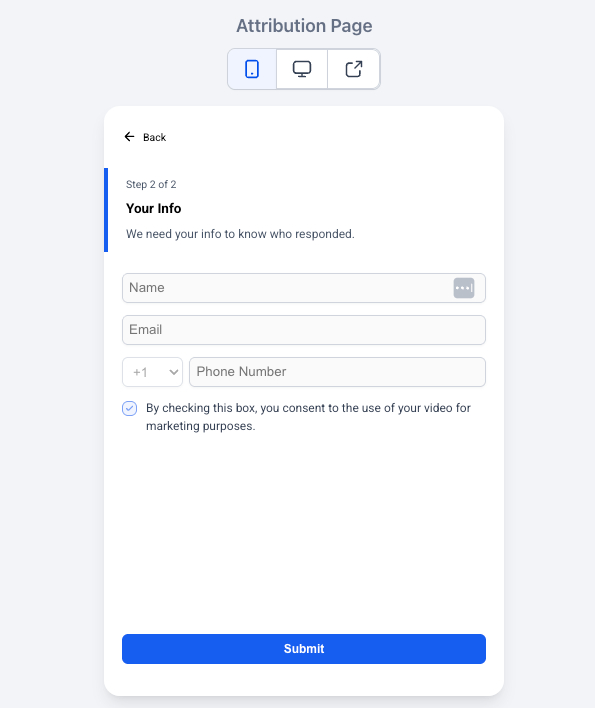
This step is important because it helps you organize testimonials and identify who submitted each video.
Step 5: Customize the Thank You Page
The final step is the Thank You Page.
Here you can display a thank-you message after the testimonial is submitted.
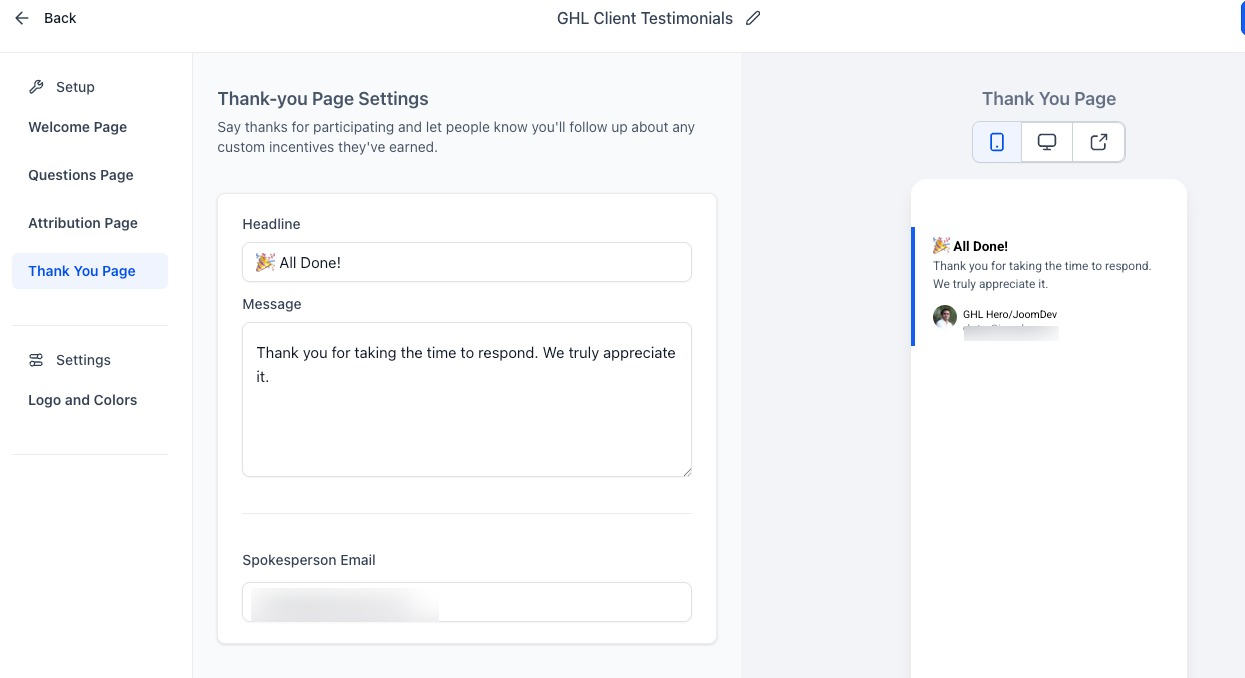
Example:
Thank you for sharing your experience with us!
We truly appreciate your feedback and support.
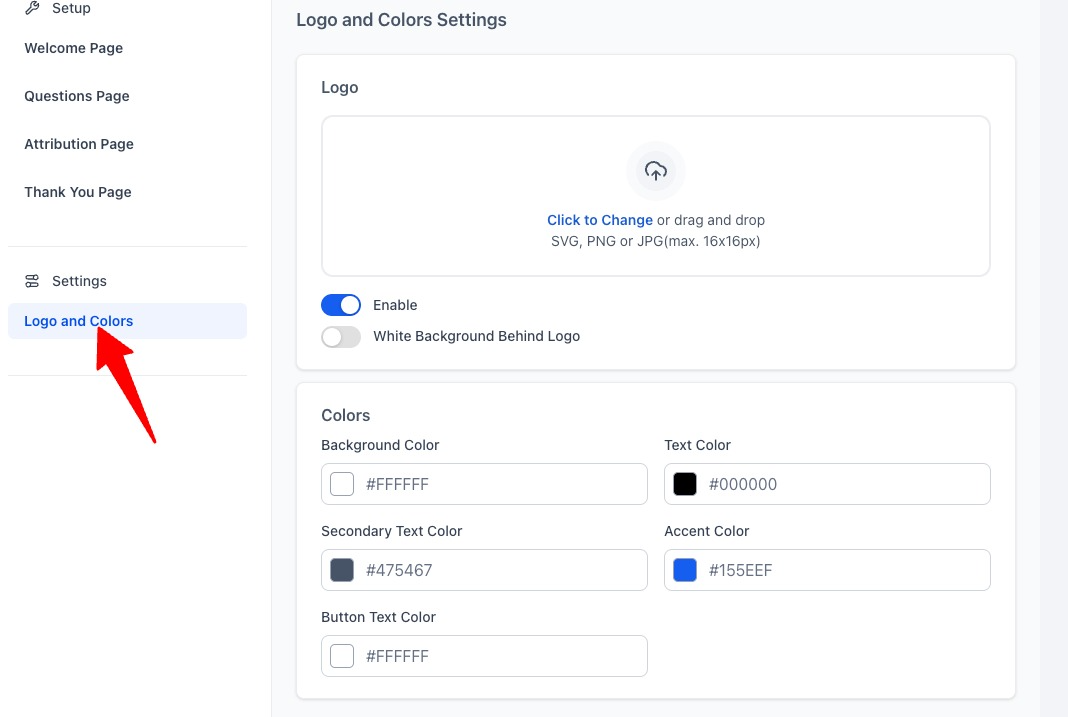
You can also customize:
Brand colors
Background styling
Company logo
Another great thing is that the collector is optimized for both:
Desktop devices
Mobile devices
So customers can easily record testimonials directly from their phones.
Sending Video Testimonial Requests
Once your collector is ready, the next step is sharing it with customers.
Inside the backend, GoHighLevel provides a:
“Send Review Request” Option
However, there is currently one limitation.
At the moment, testimonial requests appear to support sending to one contact at a time instead of bulk sending.
That means:
No built-in bulk testimonial request campaigns yet
No dedicated workflow automation trigger/action currently available
This is one area where the feature will likely improve over time.
Current Workaround for Automation
Even though native automation is limited right now, there’s still a simple workaround.
Each collector generates a unique public link.
You can:
Send the link manually
Add it to email campaigns
Include it inside workflows
Send it through SMS
Add it after project completion
Include it in onboarding/offboarding automations
This means you can still scale testimonial collection even before full automation support arrives.
One of the Best Features: Embed Testimonials Anywhere
This is where the feature becomes incredibly powerful.
Instead of downloading testimonial videos and uploading them manually to different websites, GoHighLevel allows you to create an embeddable widget.
That means:
No manual downloading
No re-uploading videos repeatedly
Updates happen automatically
Centralized testimonial management
Example Scenario
Let’s say:
You currently have 3 testimonial videos
You’re displaying them on:
Your website
A landing page
A client portal
Now imagine you receive a new testimonial next week.
Normally, you would have to:
Download the new video
Upload it manually to every website
Update each page separately
With the GoHighLevel widget system, you simply add the new testimonial inside GoHighLevel and it automatically reflects everywhere the widget is embedded.
That saves a huge amount of time.
You can embed testimonial widgets on almost any website platform, including:
WordPress
GoHighLevel websites
Joomla
Shopify
Custom HTML websites
Funnel pages
Landing pages
Final Thoughts
The new Video Testimonials feature inside GoHighLevel is a major upgrade for agencies, marketers, and businesses looking to collect authentic customer feedback without relying on expensive third-party platforms.
Even though the feature is still in Beta and automation options are currently limited, the built-in recording experience and embeddable widget system already make it incredibly valuable.
If you’re already using GoHighLevel, this feature alone could help you:
Save money on testimonial software
Improve social proof
Increase trust and conversions
Streamline testimonial collection
And since it’s built directly into your CRM ecosystem, managing everything becomes significantly easier.